Mapping Question Overview
"Mapping" is a feature that allows repeating applicants to autofill information from a previous application. As an admin, you can "map" or "link" a question from one form to another.
If the applicant has completed the linked question, the information can be auto-filled, saving time. They may still edit their answers afterwards.
By default, duplicating a form automatically maps/links all the questions from the previous form to the new one
How to map a question#
Each question card on your form has a "show mapping" button that will open up the mapping fields.
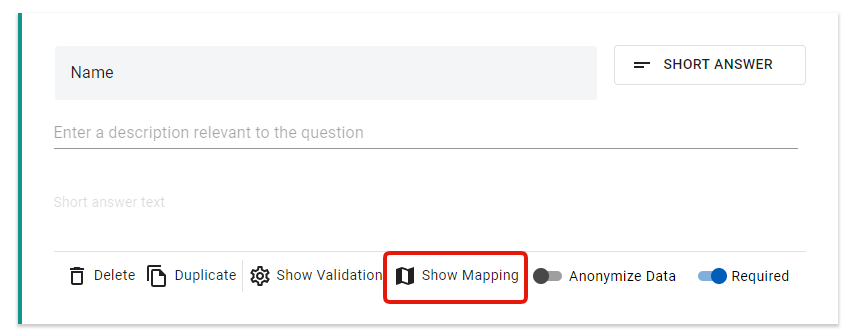
Clicking "Show Mapping" opens up an interface with three fields.
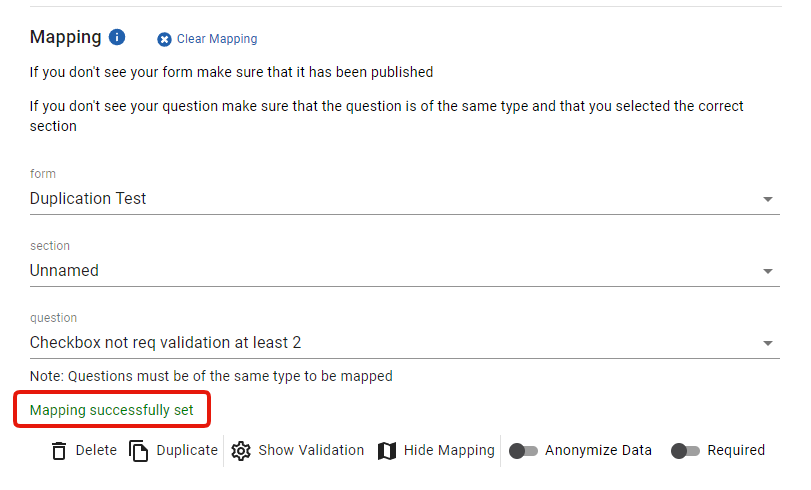
Here you can select the form -> section -> question that you would like to link.
You'll know the mapping has been successfully set when you see the green text at the bottom (outlined in red in the image above) that says "Mapping successfully set"
NOTE: If the form is duplicated, these fields are already mapped/linked to the question on the previous form.
Restrictions#
- To be able to access the mapping, you have to be an ADMIN of the organization that created the form. Admins of a different org who have been given access via "User Managemenr" will not be able to access the mapping
- Only PUBLISHED forms will appear in the dropdown and can be selected for mapping
- Only questions of the SAME TYPE can be mapped. For example, you cannot map a multiple-choice question to a short answer
Behaviour Tips#
If you change the question type, the mapping will reset.
You may edit the name, description, required and validation fields of a question. Moving a question, duplicating or adding more questions won't affect the mappings
- If the applicant auto-fills an answer during a submission, but the answer fails a validation, the applicant will be required to edit the answer to meet the validation. For example, you increase the minimum word count to 500, but their previous answer was only 300 words
- If a section contains a new required question that doesn't contain a mapping, the applicant will be required to fill out this question before moving on
Applicant View#
If there is at least 1 question that can be auto-filled, a button will appear at the top that they can click to try and autofill the answers.
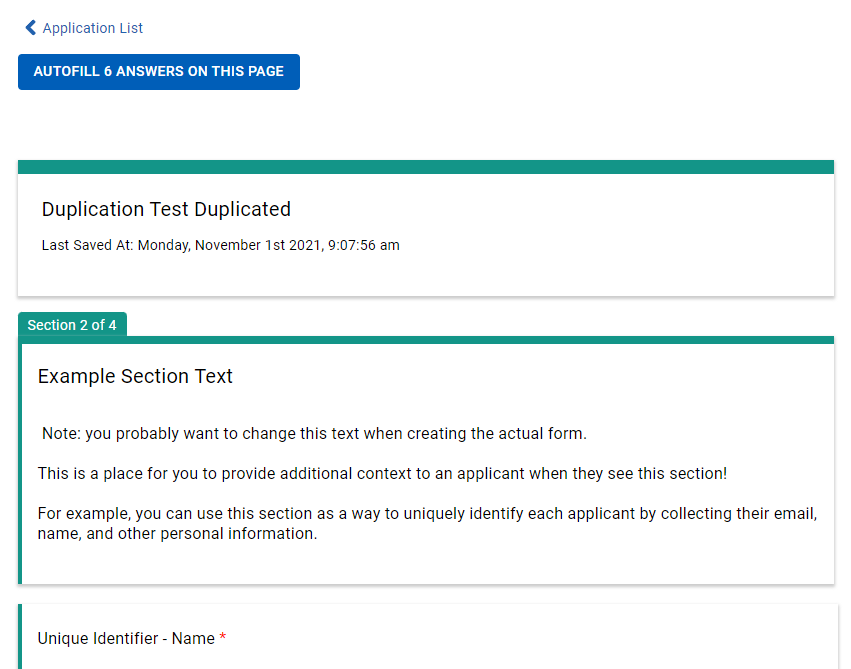
Note: Even if a question is mapped, the applicant may not have filled it out on the previous form (due to it not being required, for example)